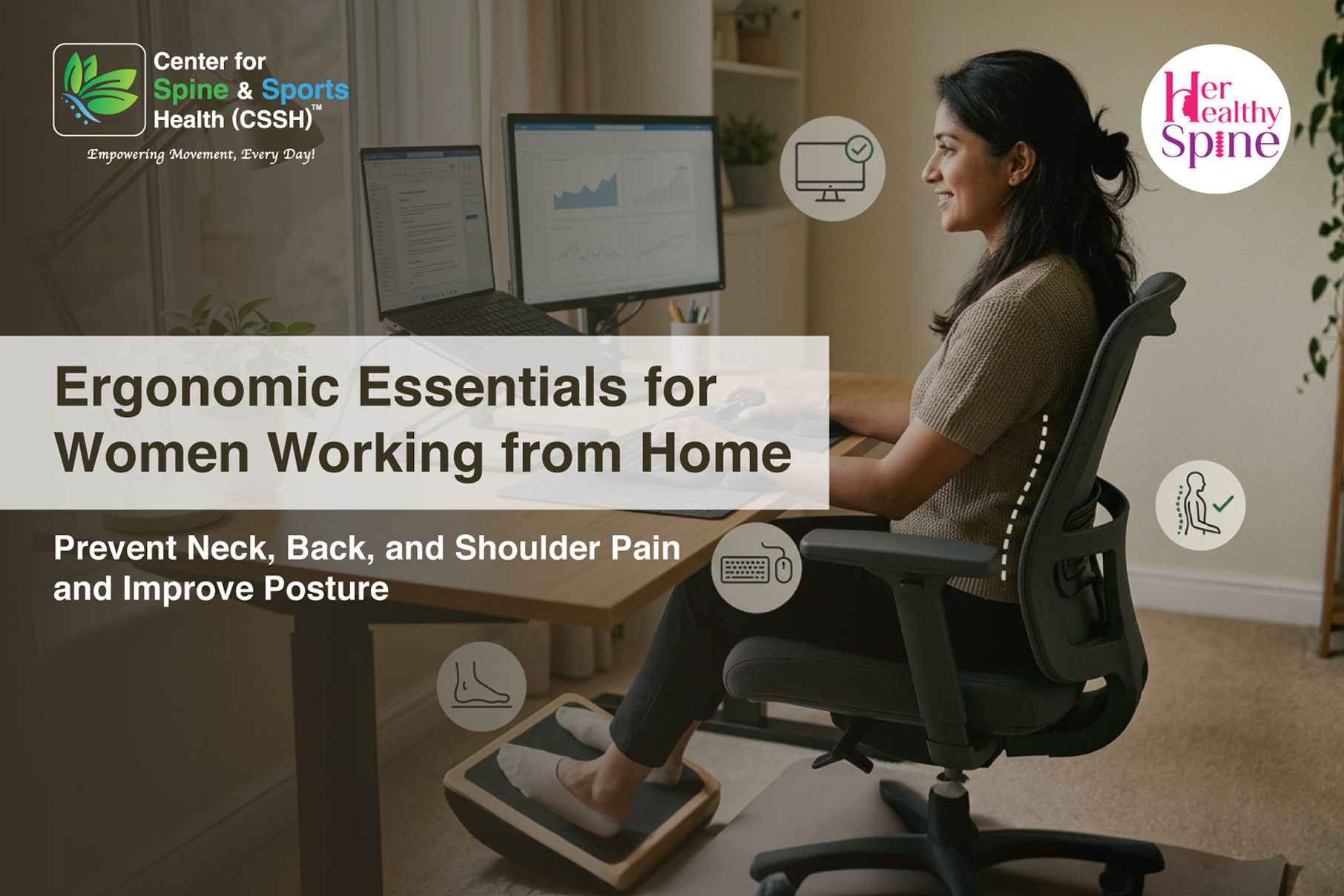
Working from home has become a long-term reality for many women. While this flexibility is helpful, it also brings a hidden risk: poor ergonomics.
The Reality: Women are increasingly affected by posture and spinal problems linked to poor ergonomics, with studies showing they may be about twice as likely as men to experience ergonomic injuries; in office settings, musculoskeletal disorders can affect more than 80% of workers, often showing up as neck, shoulder, and lower-back pain, which makes proper workstation design and posture support essential.
Long hours on laptops, household multitasking, and makeshift work setups can lead to:
- Imbalances around neck and shoulder (rounded shoulders, forward head posture)
- Lower back stiffness
- Wrist and elbow strain
- Eye fatigue
- Reduced productivity
- Chronic musculoskeletal issues
Women, due to differences in average height, shoulder width, pelvic structure, and workspace design, often face greater ergonomic challenges than men.
This guide covers evidence-based ergonomic principles along with women-specific considerations to help create a healthy, pain-free workspace at home. Here are a few ergonomic essentials for women working from home.
1. The Chair: Your Most Important Ergonomic Tool
A chair determines the alignment of your entire spine.
What women specifically need?
Women are generally shorter than standard chair dimensions. As a result:
- Feet may not touch the floor
- Knees may be higher than hips
- Lumbar curve may collapse
- Shoulders may elevate due to improper armrest height
Ideal Chair Setup
- Sit so your back is fully supported by the backrest
- Adjust chair height so thighs are parallel to the floor
- Keep hips slightly higher than knees (prevents lower-back compression)
- Place a small cushion or rolled towel at the lower back for support
- Armrests should support elbows without pushing shoulders up; feet rested on the floor
If you don’t have an office chair, you can still create a supportive setup using:
- A firm dining chair
- A rolled towel for lumbar support
- A cushion to raise seat height
- A box/book stack as a footrest
2. Desk Height: The Forgotten Ergonomic Factor
Most desks are not designed for women’s average height range.
Signs your desk is too high:
- Your shoulders feel tense
- You lift your elbows while typing
- Wrists bend upward (position of wrist higher than elbow)
Signs your desk is too low:
- You lean forward
- Neck and upper back strain increases
Ideal Position:
- Elbows at 90–100°
- Shoulders relaxed
- Wrists straight and supported; in line with elbow
- Keyboard kept close to your body
If you cannot change your desk height:
- Raise your chair and use a footrest
- Lower your desk slightly using blocks or adjustable
3. Laptop Position: Eye Level is Non-Negotiable
Most women tend to work on the sofa or bed, which increases forward neck movement.
Even at a table, looking down at a laptop screen stresses the neck.
How to fix it?
- Raise the laptop so that the top of the screen is at or slightly below eye level
- Keep the screen at arm’s length
- Use an external keyboard + mouse to maintain neutral wrists
Why it matters?
Every 2.5 cm the head moves forward adds nearly 2–3 kg of extra load on the neck muscles.
4. The Importance of an External Keyboard & Mouse
Typing on a laptop forces the hands inward and elevates the shoulders.
Women with smaller hand spans often experience:
- Wrist pain
- Thumb strain
- Tingling in fingers
- Shoulder tightness
An ergonomic keyboard and mouse:
- Keep hands in a natural position
- Reduce ulnar deviation (hand bending outward)
- Lower stress on neck and shoulders
This investment makes long hours drastically easier.
5. Foot Support: The Foundation of Your Posture
If your feet don’t rest flat on the floor, your pelvis tilts backward and your spine may collapse.
To fix it, you must:
- Place feet flat on the floor or on a footrest
- Keep knees at 90°
- Avoid crossing legs
- Maintain equal weight on both hips
Women with shorter legs benefit the most from a footrest.
6. Lighting & Visual Ergonomics
Women tend to sit closer to screens, increasing eye strain.
Checklist for eye health:
- Keep the monitor at arm’s length
- Adjust brightness to room lighting
- Use anti-glare filters if needed
- Position light sources to the side, not behind the screen
- Follow the 20-20-20 rule
- Every 20 min, for 20 seconds, look 20 feet away
Poor lighting triggers headaches, fatigue, and poor posture.
7. Movement Breaks: The Single Biggest Factor
Even the best posture becomes harmful when held for too long.
Golden rule:
30-40 minutes of work followed by 10 minutes of movement
Suggested micro-breaks:
- Neck mobility
- Shoulder rolls
- Hip flexor stretches
- Thoracic mobility by doing rotations
- Hamstring stretches
- Thoracic extension over chair back
- 2–3 minutes walking
These “reset” the body and prevent stiffness.
8. Workstation Customisation for Women
Every woman has unique ergonomic needs depending on:
- Height
- Bust size
- Shoulder width
- Pelvic tilt
- Hip structure
Customise your setup by:
- Adjusting seat depth
- Maintaining neutral spine
- Ensuring armrests support elbows
- Keeping frequently-used items within easy reach
- Avoiding leaning to one side
- Using a headset for calls (prevents neck tilt)
9. Avoid These Common Home-Office Mistakes
- Working on the bed
- Hunching over the laptop
- Sitting cross-legged for long periods
- Using the sofa as a workstation
- Holding phone between neck and shoulder
- Leaning on one hip
Correcting these alone reduces 60–70% of posture-related discomfort.
10. Bonus: Simple, Evidence-Based Posture Exercises
Include these once or twice a day:
- Chin tucks
- Thoracic foam rolling
- Cat-camel stretch
- Hip flexor stretches
- Wall slides
- Glute activation exercises
- Shoulder external rotation
These maintain mobility and strength for long sitting hours.
CSSH Final Note
Ergonomics is not about expensive equipment. It’s about understanding your body and adjusting your workspace to support it.
Women, especially, benefit from customised ergonomic solutions due to natural anatomical differences.
If you experience persistent pain, numbness, or stiffness despite modifying your setup, the physiotherapy team at CSSH can help assess your posture and provide personalised ergonomic advice.
Creating the right workspace is not a luxury. It is essential for long-term health, comfort, and productivity.
Authored by :
Varsha Gadaley
Sports Physiotherapist, CSSH